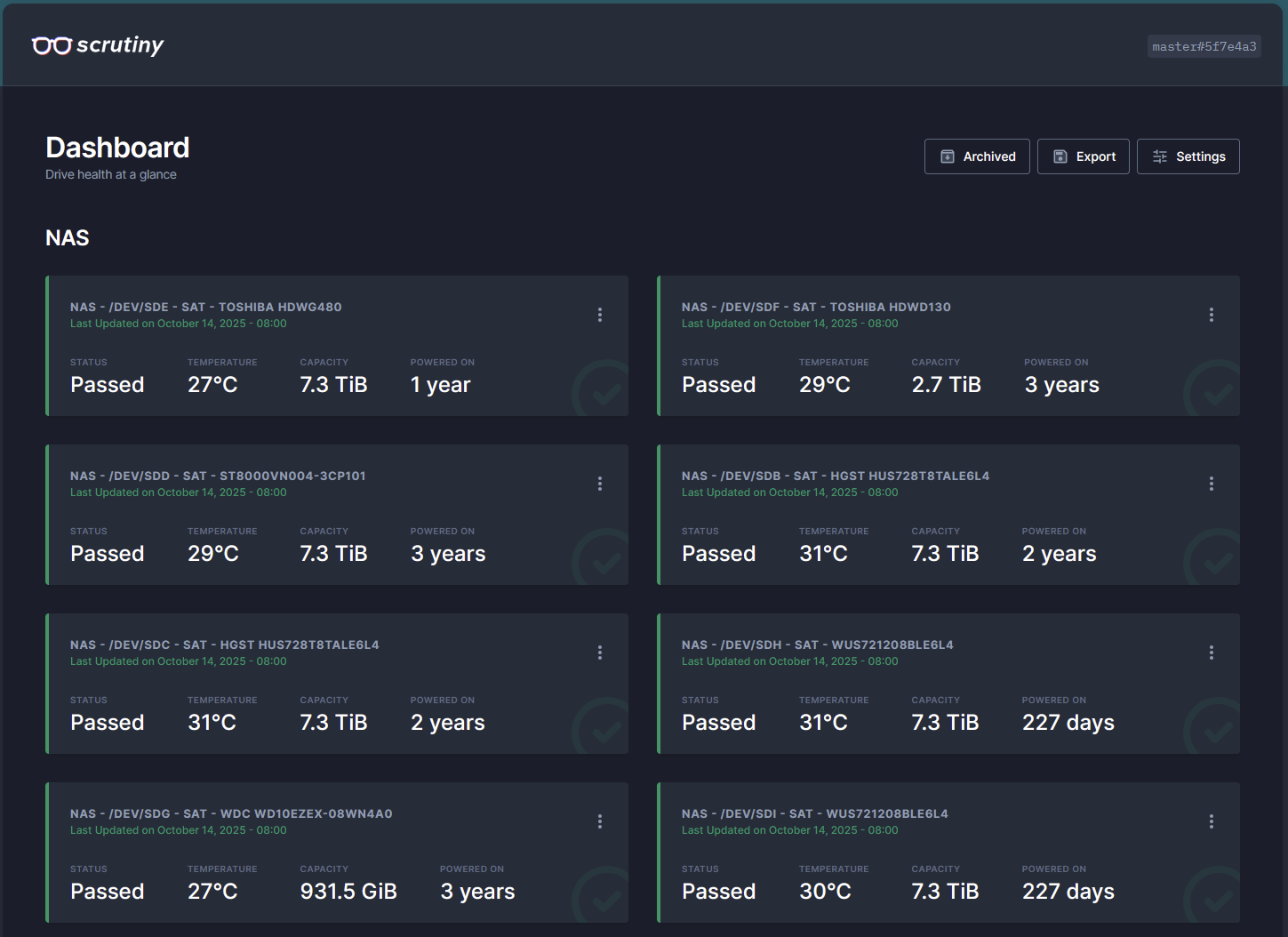
Scrutiny 是一个基于 S.M.A.R.T 技术对硬盘健康状态进行监控的 WebUI 工具
1panel迟迟没有添加硬盘监控功能,无奈只能自行搭建。
原本想用Netdata,无奈太过臃肿。
拷打ChatGPT之后吐出了这个开源项目,完美符合需求立马开干。
项目地址:GIthub
docker 直接运行
自定义可以访问的设备:
docker run -d \
  --name scrutiny \
  -p 8080:8080 \
  -p 8086:8086 \
  -v /etc/scrutiny:/opt/scrutiny/config \
  -v /var/scrutiny/influxdb:/opt/scrutiny/influxdb \
  -v /run/udev:/run/udev:ro \
  --cap-add SYS_RAWIO \
  --cap-add SYS_ADMIN \
  --device=/dev/sda \
  --device=/dev/nvme0 \
  ghcr.io/analogj/scrutiny:master-omnibus
访问所有设备(开放所有权限):
docker run -d \
  --name scrutiny \
  --privileged \
  -p 8080:8080 \
  -p 8086:8086 \
  -v /etc/scrutiny:/opt/scrutiny/config \
  -v /var/scrutiny/influxdb:/opt/scrutiny/influxdb \
  -v /run/udev:/run/udev:ro \
  ghcr.io/analogj/scrutiny:master-omnibus
使用docker-compose编排
自定义可以访问的设备:
version: "3.8"

services:
  scrutiny:
    image: ghcr.io/analogj/scrutiny:master-omnibus
    container_name: scrutiny
    ports:
      - "8080:8080" # WebUI 端口
      - "8086:8086" # influxdb 端口
    volumes:
      - /etc/scrutiny:/opt/scrutiny/config # 配置文件位置
      - /var/scrutiny/influxdb:/opt/scrutiny/influxdb # 数据库位置
      - /run/udev:/run/udev:ro
    cap_add:
      - SYS_RAWIO
      - SYS_ADMIN # NVME 支持
    devices:
      - /dev/sda
      - /dev/nvme0
访问所有设备(开放所有权限):
version: "3.8"

services:
  scrutiny:
    image: ghcr.io/analogj/scrutiny:master-omnibus
    container_name: scrutiny
    privileged: true
    ports:
      - "8080:8080" # WebUI 端口
      - "8086:8086" # influxdb 端口
    volumes:
      - /etc/scrutiny:/opt/scrutiny/config # 配置文件位置
      - /var/scrutiny/influxdb:/opt/scrutiny/influxdb # 数据库位置
      - /run/udev:/run/udev:ro
分布式部署:
version: "3.8"

services:
  db:
    image: influxdb:2.2
    restart: unless-stopped
    expose:
      - "8086"
    volumes:
      - /var/scrutiny/influxdb:/var/lib/influxdb2
    healthcheck:
      test: ["CMD", "curl", "-f", "http://localhost:8086/health"]
      interval: 5s
      timeout: 5s
      start_period: 20s
      retries: 30
    networks:
      - scrutiny-internal

  web:
    image: ghcr.io/analogj/scrutiny:master-web
    restart: unless-stopped
    ports:
      - "41489:8080"
    volumes:
      - /etc/scrutiny/config:/opt/scrutiny/config
    environment:
      SCRUTINY_WEB_INFLUXDB_HOST: db
    depends_on:
      db:
        condition: service_healthy
    healthcheck:
      test: ["CMD", "curl", "-f", "http://localhost:8080/api/health"]
      interval: 5s
      timeout: 5s
      start_period: 15s
      retries: 30
    networks:
      - scrutiny-internal
      - scrutiny-public

  collector:
    image: ghcr.io/analogj/scrutiny:master-collector
    restart: unless-stopped
    privileged: true
    volumes:
      - /run/udev:/run/udev:ro
    environment:
      COLLECTOR_API_ENDPOINT: http://web:8080
      COLLECTOR_HOST_ID: NAS
    depends_on:
      web:
        condition: service_healthy
    networks:
      - scrutiny-internal

networks:
  scrutiny-internal:
    internal: true
  scrutiny-public:
分布式部署请根据需求修改配置,这里不再赘述。
效果展示